Best Task Management Software for Corporates and IT Companies
Cut project chaos without adding more meetings. Discover how agencies can streamline workflows, improve collaboration, and boost productivity with smarter management
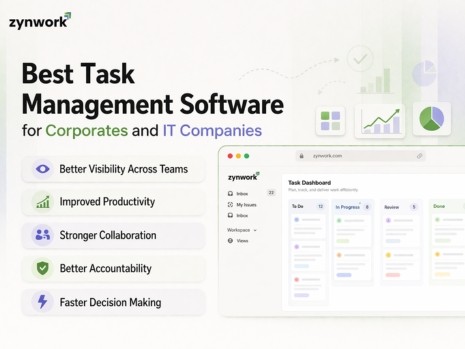
Corporate and IT teams handle a constant flow of work across projects, departments, and delivery cycles. One client request can involve managers, developers, testers, operations teams, and leadership.
When tasks are tracked through spreadsheets, emails, or disconnected tools, teams lose visibility. Deadlines slip. Priorities become unclear. Productivity drops.
That is why task management software is essential for modern businesses. The right platform does more than help teams create to do lists. It gives organizations one central place to plan work, assign tasks, monitor progress, manage resources, and track budgets.
For corporates and IT companies, a strong task management system can improve execution, collaboration, and decision making across the business.
What Is Task Management Software
Task management software is a digital tool that helps teams create, assign, prioritize, and track tasks. It gives everyone a clear view of what needs to be done, who is responsible, and when work is due.
Unlike spreadsheets or scattered tools, modern task management software keeps everything in one place. This includes task status, deadlines, comments, files, team workload, and sometimes even budget data.
For IT companies especially, this means less switching between project trackers, time sheets, finance tools, and communication apps.
Why Corporates and IT Companies Need Task Management Software
Large businesses manage a high volume of work every day. Without a proper system, tasks get delayed, work gets duplicated, and project visibility becomes weak.
Here are the main reasons companies invest in task management software.
Better Visibility Across Teams
A centralized platform gives teams and leaders a full view of ongoing work. They can see priorities, deadlines, workload, and project status in one place.
Improved Productivity
When tasks are clearly assigned and deadlines are visible, employees spend less time chasing updates and more time completing work.
Stronger Collaboration
Corporate and IT teams often work across departments, offices, or time zones. A shared platform helps everyone stay aligned with real time updates and better communication.
Better Accountability
When each task has an owner, due date, and priority level, it becomes easier to track progress and responsibility.
Faster Decision Making
With real time dashboards and reporting, managers can quickly review project progress, team capacity, and budget performance without waiting for manual updates.
Key Features to Look for in Task Management Software
Not all tools offer the same value. The best task management software for corporates and IT companies should support both day to day execution and long term planning.
Sprint and Task Planning
A good platform should make it easy to create tasks, plan sprints, assign owners, set due dates, and define priorities. It should also help teams plan based on actual capacity so they do not overcommit.
Finance and Budget Integration
This is one of the most important features for growing businesses. Many tools help manage tasks, but very few connect work directly to budget data.
A stronger solution allows teams to track project costs in real time, view budget status, and receive alerts before spending goes off track.
AI Powered Predictions
Modern task management tools should help teams stay ahead of issues. AI features can predict delivery timelines, identify risks early, and suggest smarter ways to distribute work.
Automatic Time Tracking
Manual time logging often leads to errors and poor adoption. A better system can detect active work, suggest time entries, and connect logged time directly to project reporting and cost tracking.
Resource Capacity Planning
Workload views help managers see who is overloaded and who has available time. This improves planning, reduces burnout, and makes sprint delivery more realistic.
Workflow Automation
Automation helps reduce repetitive work. Features like approval workflows, automatic task assignments, and notifications help teams move faster with fewer errors.
Reporting and Analytics
Reporting tools should help teams track performance, project health, task completion, and resource utilization. Good analytics save time and support better planning.
Project Templates
Templates help teams standardize repeatable work. They reduce setup time and make it easier to repeat successful delivery processes across departments.
Security and Access Control
Corporates and IT companies often manage sensitive information. The software should offer role based permissions, secure login options, and controlled access to important data.
Scalability
As your company grows, your work becomes more complex. The right system should scale with your team, projects, and workflow needs.
Task Management Software vs Project Management Software
These two terms are often used interchangeably, but they are not exactly the same.
Task management software focuses on individual tasks, assignments, deadlines, and daily execution.
Project management software includes task management, but also covers larger planning areas like milestones, budgets, timelines, resource allocation, and overall project health.
For corporates and IT companies, the best choice is often a platform that combines both. This gives teams the ability to manage daily work while giving leadership visibility into delivery, capacity, and financial performance.
How Task Management Software Helps Corporate Teams
Corporate teams often work across multiple functions at the same time. Marketing runs campaigns, finance manages approvals, operations handles delivery, and HR coordinates onboarding.
Without a shared platform, these workflows become disconnected.
Supports Cross Functional Collaboration
A task management system helps different departments work together in one place. This reduces delays and keeps everyone informed.
Standardizes Workflows
Corporate teams need consistent processes for approvals, reporting, compliance, and internal operations. A structured system helps create repeatable workflows that improve efficiency.
Improves Executive Reporting
Leaders need a quick and reliable view of business activity. Real time dashboards make it easier to track project health, resource allocation, and budget status.
Connects Planning to Finance
Many task tools focus only on execution. A more advanced platform connects tasks and project work directly to financial data, helping leaders understand both progress and cost.
How Task Management Software Helps IT Companies
IT companies work in fast moving environments where priorities shift quickly. Teams manage client projects, software releases, support requests, and internal product development.
Strong task management helps keep delivery organized and predictable.
Sprint Planning with Real Capacity
IT teams need to plan sprints based on actual team availability. This helps avoid overloading developers and improves delivery confidence.
Supports Agile Project Management
Agile teams need tools for backlog management, sprint planning, task boards, and progress tracking. A strong system helps teams work in short cycles with better control.
Easier Time Tracking for Developers
Developers should spend more time building and less time logging hours. Smart time tracking improves accuracy and reduces manual work.
Better Budget Visibility
IT leaders need to understand how delivery impacts budget. With real time cost visibility, teams can manage scope, timelines, and spending more effectively.
Works Well for Remote Teams
Distributed teams need clear visibility without constant meetings. A centralized platform helps managers and team members stay aligned from anywhere.
Benefits of Using a Modern Task Tracking System
A good task tracking system does more than organize work. It helps businesses improve how teams plan, execute, and report.
Key benefits include:
Clear priorities for every team member
Better time management and workload planning
Less miscommunication across departments
More transparency into task and project progress
Higher completion rates with clear ownership
Smarter resource allocation
Better financial accountability
Early risk detection through reporting and AI insights
How to Choose the Best Task Management Software for Your Business
Choosing the right tool starts with understanding what your business actually needs.
Understand Your Team's Needs
Identify your biggest challenges first. You may need better sprint planning, stronger reporting, improved budget control, or easier time tracking.
Look for Ease of Use
Software should be simple enough for teams to adopt quickly. If the system feels too complex, adoption will be low and value will be limited.
Check Finance Integration
If your business needs financial visibility alongside task execution, look for software that connects work to budgets and costs.
Evaluate AI Features
AI can help make task management more proactive. Look for features like delivery forecasting, smart workload balancing, and automatic time suggestions.
Consider Future Growth
Choose a tool that can grow with your business. It should support more users, more projects, and more advanced workflows over time.
Signs Your Company Needs Better Task Management Software
Many companies stay with outdated systems longer than they should. Here are common signs it may be time to upgrade:
Teams miss deadlines often
Work updates are spread across multiple tools
Budget tracking happens in separate spreadsheets
Time logging is manual and inconsistent
Managers have limited visibility into progress
Reporting takes too much effort
Collaboration feels slow and fragmented
If these issues sound familiar, it may be time to move to a more connected solution.
Best Practices for Successful Implementation
The right software only works when implementation is done well.
Set Clear Goals
Start by defining success. This could mean better budget visibility, faster sprint delivery, fewer missed deadlines, or stronger team accountability.
Start with Key Teams
Roll out the system with one or two teams first. Gather feedback, improve workflows, and expand from there.
Train Employees Properly
Make sure employees understand how to use the software in their daily work. Good onboarding increases adoption and long term success.
Review and Improve Regularly
As business needs change, workflows and dashboards should be updated to stay useful and relevant.
Why Businesses Choose Zynwork
Many companies look for more than a simple task tracker. They want one platform that combines task management, sprint planning, resource visibility, reporting, and financial control.
Zynwork is designed for that need. It helps teams manage work at the task level while also giving leaders better visibility into project health, budgets, and team capacity.
Instead of using separate tools for planning, tracking, and reporting, businesses can manage everything in one place.
Final Thoughts
The best task management software for corporates and IT companies is not just a productivity tool. It is a business support system that helps teams stay organized, collaborate better, and complete work on time.
For corporate teams, it brings structure, visibility, and better process control. For IT companies, it supports agile delivery, sprint planning, resource management, and budget awareness.
As businesses grow, spreadsheets and disconnected tools become harder to manage. A modern platform can bring clarity across tasks, teams, and projects while also improving accountability and performance.
If your organization wants to improve project execution, team collaboration, and overall productivity, exploring a smarter task management solution is the right next step. Zynwork offers a practical way to bring planning, execution, and financial visibility together in one platform.