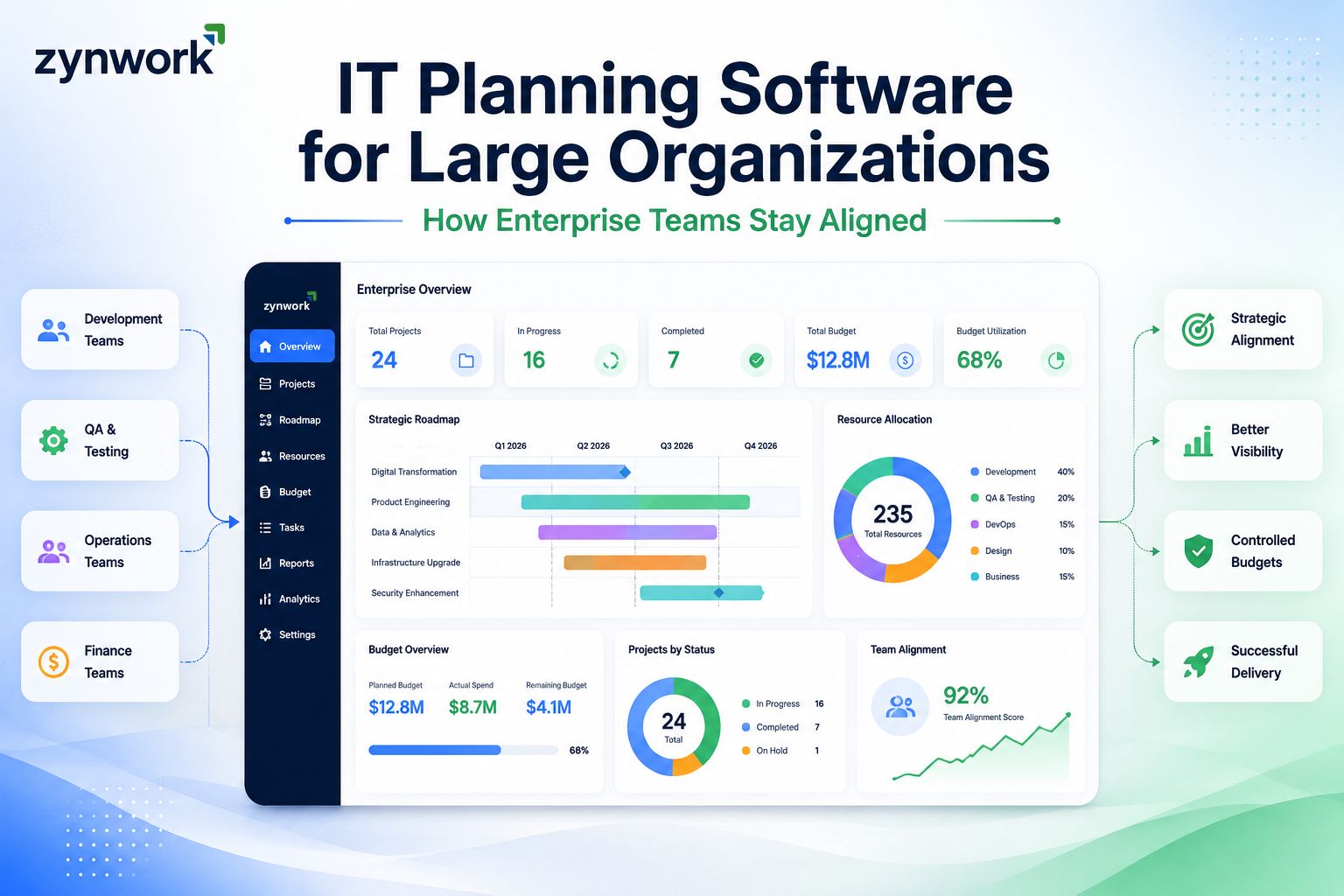
IT Planning Software for Large Organizations: How Enterprise Teams Stay Aligned
Cut project chaos without adding more meetings. Discover how agencies can streamline workflows, improve collaboration, and boost productivity with smarter management
Why Large IT Teams Struggle to Stay Aligned
Picture this. You've got 12 active projects, four different teams, and a leadership meeting in two hours. Someone asks for a budget update. Someone else needs the sprint status. And you're jumping between three different tools trying to piece it all together.
Sound familiar? You're not alone. This is the everyday reality for IT managers and project leads inside large organizations. And honestly, it doesn't have to be this messy.
The real problem isn't your team. It's the disconnected systems they're forced to work with. When planning, finance, and execution live in separate places, things fall through the cracks. Deadlines slip. Budgets go over. And leadership loses visibility.
That's exactly where IT planning software for large organizations steps in. The right tool doesn't just manage tasks it connects every moving part of your projects into one clear picture.
Zynwork is built precisely for this challenge. It's an AI-powered platform that unites planning, finance, and execution so your enterprise IT team can finally operate from one source of truth.
What IT Planning Software Actually Does
Let's clear something up. IT planning software isn't just a fancy to-do list. It's the backbone of how large organizations plan, run, and deliver projects from the first sprint to the final sign-off.
At its core, it helps teams do a few important things:
Plan projects end-to-end with timelines, milestones, and sprint cycles all in one place
Track budgets in real time so you always know where money is going before it's gone
Manage resources efficiently no more guessing who's available or who's overloaded
Give leadership clear visibility dashboards and reports that don't require a data analyst to read
Keep teams aligned even when people are spread across departments or time zones
Did You Know? Research shows that the right project management tool can improve on-time project delivery from 70% to over 90% and save teams 10 to 15 hours every week in coordination overhead alone.
Features That Matter Most for Large Organizations
Not every tool is built for scale. Some work great for a 5-person startup. But when you're managing 50+ people, multiple projects, and serious budget stakes, you need more than just task boards.
Here's what large IT teams should actually look for:
1. Sprint-to-Budget Visibility
Your sprint project management and your financial planning should talk to each other. When every task connects to a live budget, you catch cost overruns early not after the damage is done. This is one of the most overlooked features in standard project management software tools.
2. Role-Specific Dashboards & Project Performance Analytics
A CTO needs different information than a project manager. Good project performance analytics shows the right data to the right person without cluttering screens with irrelevant details.
3. Resource Capacity & Employee Performance
Large teams deal with resource conflicts constantly. Strong employee performance software shows who's at capacity, who has bandwidth, and flags burnout risks before they become real problems. One Zynwork user a VP of Engineering shared that the platform flagged burnout on two tech leads three weeks before he even noticed. Voluntary attrition dropped from 14% to 4% in just six months.
4. IT Financial Management & Budget Planning
Large organizations have serious financial stakes. Built-in IT financial management software capabilities mean your team can track spend in real time not just at month-end. Combined with best budget planning software features, you can set budgets, track actuals, and prevent overruns before they hurt your margins.
5. Project Delivery Management & Deliverable Tracking
Staying on top of what gets delivered and when is non-negotiable at scale. Solid project delivery management keeps every project management deliverable visible, tracked, and on time.
6. Task Management Software Built for IT Teams
At the foundation, your task management software needs to handle the complexity of IT workflows not just simple to-do lists. That means nested tasks, dependencies, sprint flows, and time logging all in one place.
7. Performance Management Tools for Team Growth
Beyond delivery, great teams need ongoing performance feedback. Performance management tools and performance management software help managers track individual output, spot issues early, and keep teams growing not just shipping.
How IT Planning Tools Compare: What to Look For
Not all tools are created equal. Here's a simple breakdown of what to evaluate when choosing IT planning software for large organizations:
Feature | Basic Tools | Enterprise IT Planning Software |
Task Management | Yes | Yes (with sprint flows) |
Real-Time Budget Tracking | No | Yes |
Resource Capacity Planning | Limited | Yes |
Role-Based Dashboards | No | Yes |
Approval Workflows | No | Yes |
Timesheet Auto-Sync | No | Yes |
AI-Powered Insights | No | Yes |
Single Source of Truth | No | Yes |
The gap is pretty clear. For large IT organizations, the basics simply aren't enough.
Common Mistakes Teams Make When Choosing a Tool
Picking the wrong platform is costly and surprisingly common. Here are the mistakes that trip up large organizations most often:
Choosing a tool based on features alone. More features better outcomes. Look for tools your team will actually use simple to adopt, not complex to navigate.
Ignoring financial visibility. Most tools handle tasks well. Very few connect tasks to budgets in real time. That gap is where project margins die.
Buying multiple tools instead of one platform. Juggling Jira for sprints, Monday for tasks, and a separate BI tool for reporting creates data silos. One unified platform beats four disconnected ones every time.
Not thinking about scalability. What works for 20 people may not work for 200. Choose best IT project management software that's built to grow with your team.
Overlooking leadership visibility. If your CTOs and Delivery Heads can't get a clear picture in 30 seconds, the tool isn't doing its job.
Pro Tips for Getting the Most Out of IT Planning Software
. Pro Tip #1 Start with a Template Build a project template that maps to your most common delivery type. Every new project then starts consistent not chaotic.
. Pro Tip #2 Connect Budgets from Day One Don't add financial tracking as an afterthought. The earlier you tie tasks to budget lines, the cleaner your data will be when it matters most.
. Pro Tip #3 Use Role-Based Dashboards Intentionally Set up separate views for your PMs, tech leads, and leadership team. Everyone should see what's relevant nothing more, nothing less.
. Pro Tip #4 Act on Resource Data If your tool shows someone at 120% capacity, act on it. Burnout is expensive. Attrition is more expensive.
The best IT project management software is only as good as how consistently it's used. Build the habit early, and it pays back fast.
Conclusion
Large IT teams deserve better than scattered spreadsheets, mismatched tools, and endless status meetings just to figure out what's happening.
The right IT planning platform doesn't just organize work. It connects planning to execution, tasks to budgets, and teams to outcomes all in one place. Whether you need stronger sprint management, smarter financial management software, or better software to manage team tasks the right tool makes all the difference.
That's what keeps large organizations moving forward without losing alignment along the way.
Ready to Stop the Tool Chaos? See how Zynwork brings your IT team's planning, finance, and execution into one clear, unified platform so you always know where every project stands.
Book a Free Demo
Frequently Asked Questions
What is IT planning software for large organizations? It's a platform that helps large IT teams plan projects, manage budgets, track resources, and deliver work all from one place. Unlike basic task tools, it's built for the complexity and scale that enterprise teams deal with daily.
How is IT planning software different from regular project management tools? Regular tools handle tasks and timelines. IT project management tools go further connecting sprints to budgets, tracking resource capacity, giving role-based visibility, and automating workflows like approvals and timesheet syncing.
What features should I prioritize when picking IT project management software? Focus on real-time budget tracking, resource capacity management, role-specific dashboards, and sprint-to-delivery visibility. These are the features that directly impact project margins and team alignment at scale.
Can IT planning software help reduce project cost overruns? Yes significantly. When tasks are tied to live budget data, teams can spot cost issues weeks in advance, not after the damage is done. Some teams report project margins improving by over 20% within a single quarter.
Is it better to use one platform or multiple specialized tools? One platform nearly always wins. Multiple tools create data silos, slow down reporting, and require constant context switching. A unified IT planning platform gives everyone the same source of truth from the project manager to the C-suite.
How do I get my large team to actually adopt a new tool? Choose a platform that's simple to use, not just feature-rich. Start with clear templates, run a short pilot with one team, then roll out wider. Adoption is fastest when people see immediate value like not having to chase timesheets anymore.